Welcome to Category Manager for WooCommerce, a powerful and user-friendly plugin designed to streamline the management of product categories in your WooCommerce store. Creating, editing, and organizing categories can often be a time-consuming task, especially as your product catalog grows. I developed this plugin to simplify these processes, empowering store owners and administrators to handle their category structure efficiently without the need to navigate through complex menus or rely solely on the default WooCommerce interface. With intuitive features like drag-and-drop functionality, in-place editing, and seamless hierarchy management, this plugin saves you time and enhances your control over your store’s organization, ultimately improving the shopping experience for your customers.
Key Features and Screenshots
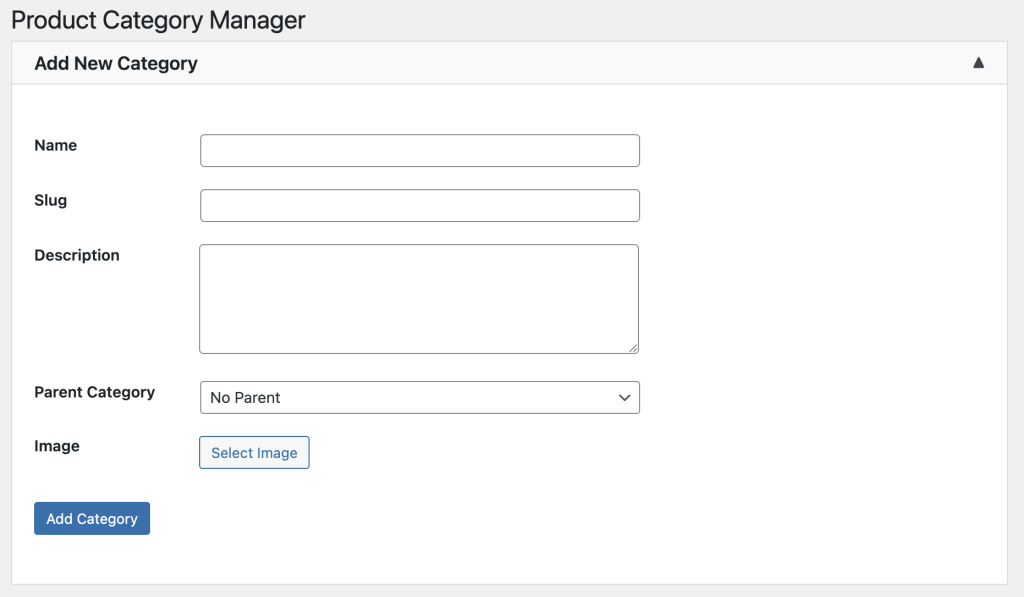
Managing product categories is now easier than ever with the ability to create new categories directly within the plugin interface, eliminating the need to visit the default WooCommerce product category section. This feature allows you to quickly add a new category by filling out a simple form, complete with options to set a name, slug, description, and even upload a thumbnail image. Whether you’re adding a single category or building an entire hierarchy from scratch, this streamlined process ensures you can stay focused on growing your business without getting bogged down by administrative hurdles.
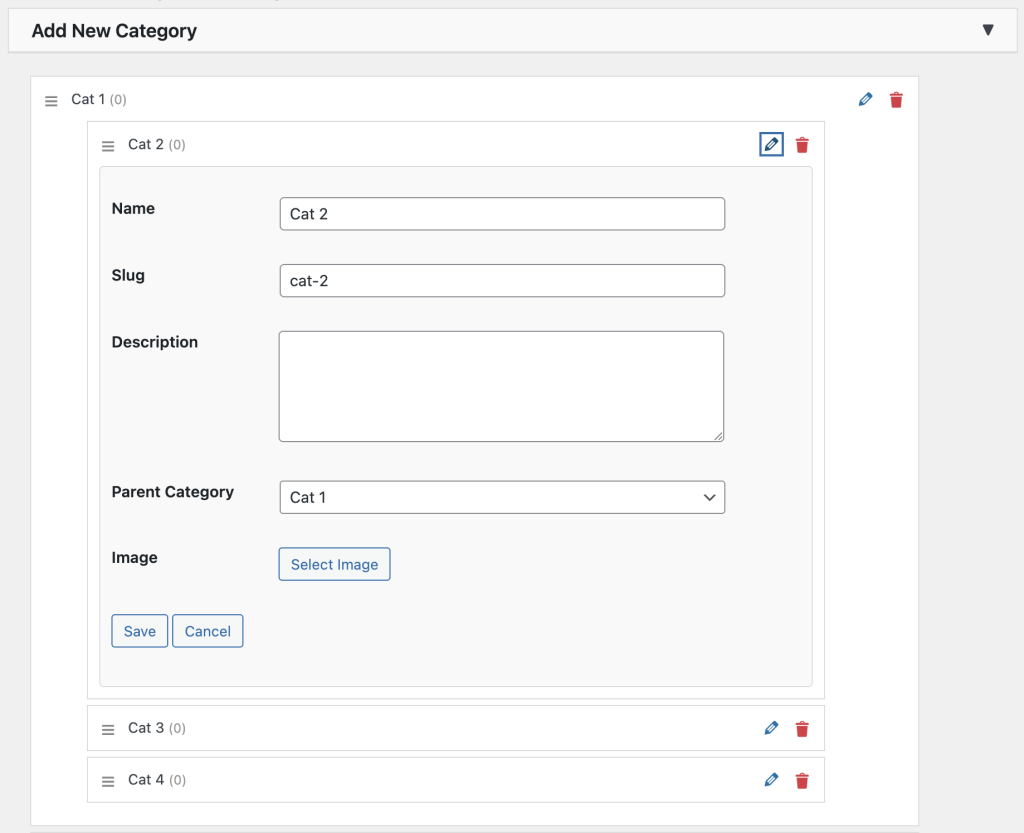
Take full control of your categories with the in-place editing feature, which lets you modify category details such as name, slug, and description directly from the plugin’s dashboard. Additionally, the drag-and-drop functionality enables you to effortlessly reorder categories by moving them up or down the list. This intuitive interface means you can adjust the priority of your categories to reflect seasonal promotions or popular products with just a few clicks, ensuring your store’s navigation remains optimized for your customers’ needs.
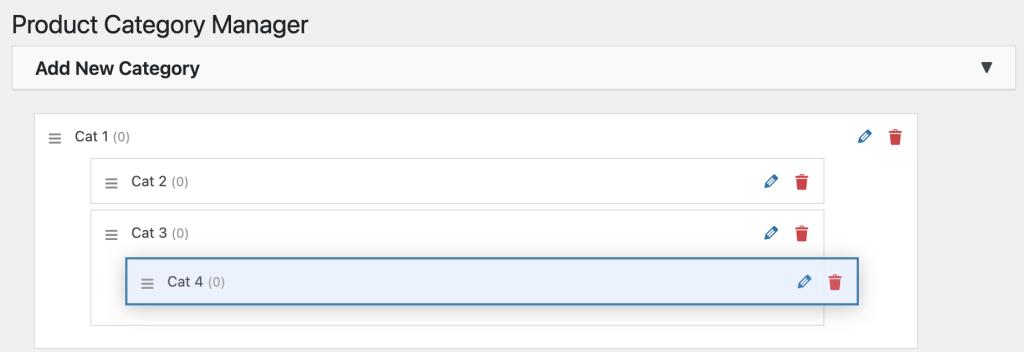
Beyond simple reordering, this plugin allows you to create sophisticated category structures by dragging and dropping categories into one another, establishing clear parent-child relationships. This feature is perfect for organizing subcategories under broader headings, such as placing “Summer Dresses” under “Women’s Clothing” or “Electronics Accessories” under “Tech Gadgets.” The visual feedback during the drag-and-drop process makes it easy to see the new hierarchy in real-time, providing a seamless way to build a logical and user-friendly category tree that enhances product discoverability.
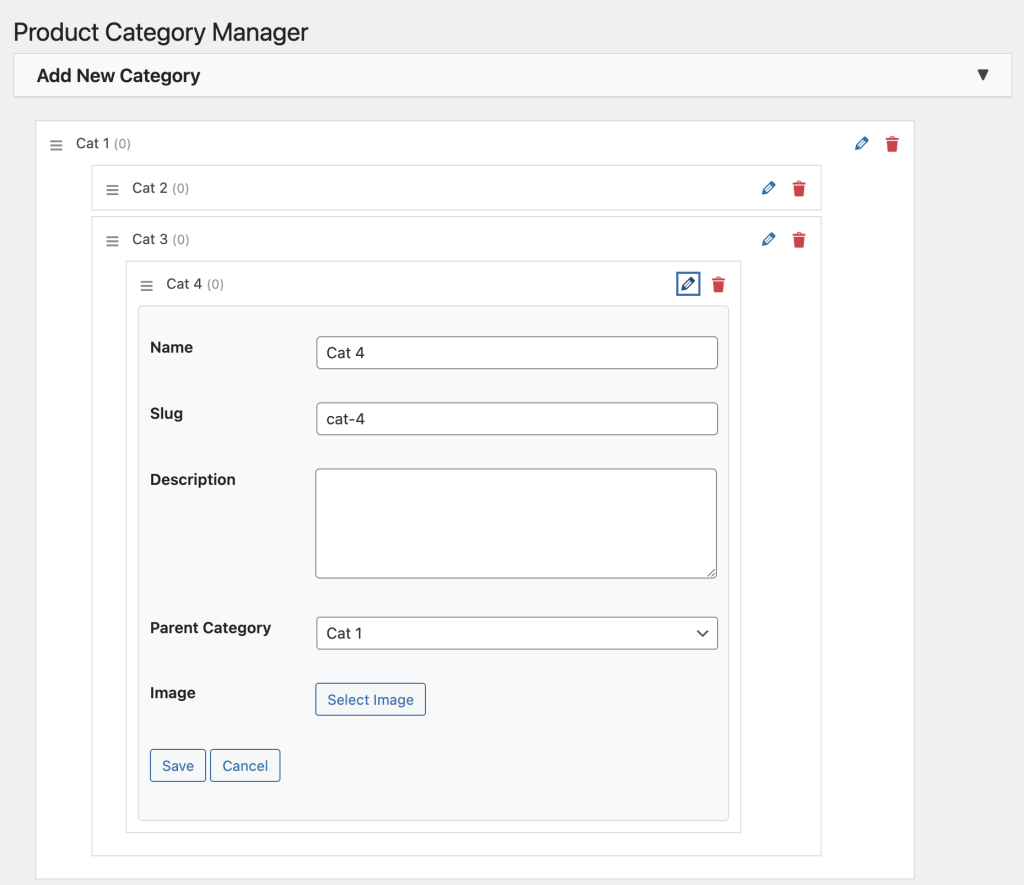
With support for editing categories at any level, you can fine-tune every aspect of your category structure. This includes updating the name, slug, and parent category for any item, regardless of its position in the hierarchy. Whether you need to reassign a subcategory to a different parent or refine a slug for SEO purposes, the plugin’s editing tools are accessible and efficient. This flexibility ensures that your category organization remains dynamic and adaptable to your store’s evolving needs, all while maintaining a clean and professional appearance.
Conclusion
Category Manager for WooCommerce is an indispensable tool for any WooCommerce store owner looking to enhance their category management experience. By combining ease of use with powerful features, this plugin helps you maintain a well-organized store that boosts customer satisfaction and streamlines your workflow. Whether you’re a small business or a large e-commerce platform, this plugin adapts to your needs, saving you time and effort.
This plugin is currently in active development, with ongoing enhancements and new features being added regularly. Stay tuned for updates, which will be promptly announced both in the WordPress plugin repository and right here on this page as soon as they are released.